
- Home
- Shop
- Forex EA, MetaTrader 4 Expert Advisors, Low Drawdown EA, MT4
- ToTheMoon MT4 V3.6 – SetFile | Grid | Partial recovery
ToTheMoon MT4 V3.6 – SetFile | Grid | Partial recovery


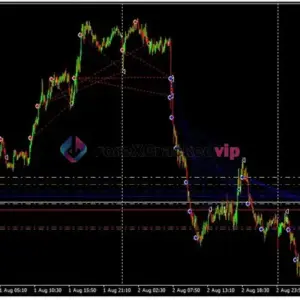
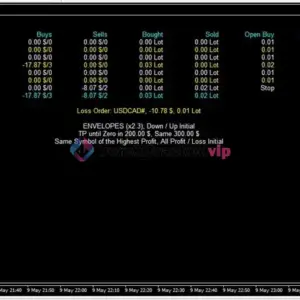
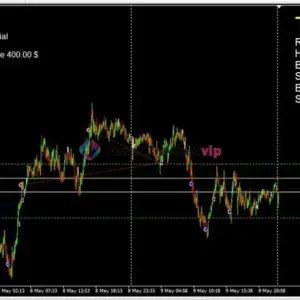


ToTheMoon MT4 V3.6 – SetFile | Grid | Partial recovery
$600.00 Original price was: $600.00.$49.99Current price is: $49.99.
ToTheMoon MT4 is a preset-driven grid recovery Expert Advisor developed by Daniel Moraes Da Silva. It uses averaging and lot escalation to manage baskets, with publicly tracked signals on MQL5. This review examines its strategy logic, vendor-published presets, risk considerations, and real account history to help traders assess whether it fits their approach.
Need Help? Chat with an Expert
Overview
What Is the ToTheMoon MT4 ?
Most grid recovery EAs live or die by one question: can they manage a losing basket without blowing the account? ToTheMoon MT4 enters that conversation with several years of public signal history and a library of vendor-maintained presets rather than a single fixed configuration.
ToTheMoon MT4 is a MetaTrader 4 Expert Advisor built around grid trading and average-price recovery logic. It is designed for traders who understand that this approach carries real drawdown risk and who want a configurable system with documented presets to test. It is not a plug-and-play solution, and the vendor is upfront about its limitations.
📌 Vendor Website: Available on the official product page | MQL5
📌 Telegram Support: Join for updates, announcements, and support
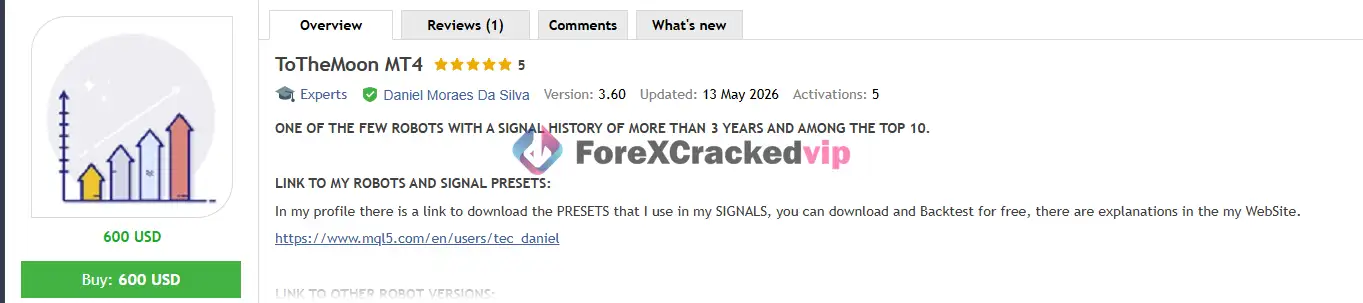
ToTheMoon MT4 Review
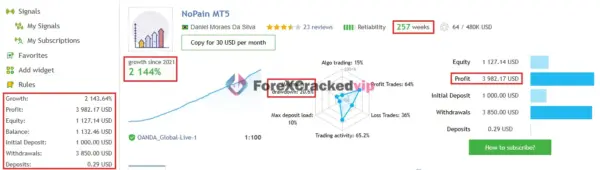
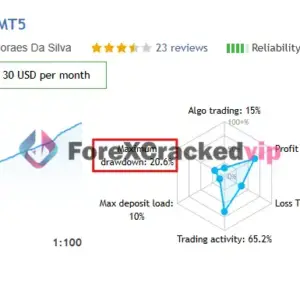
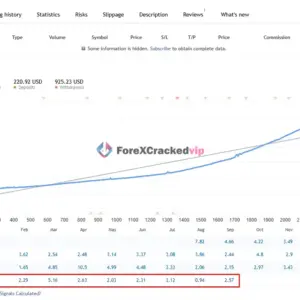
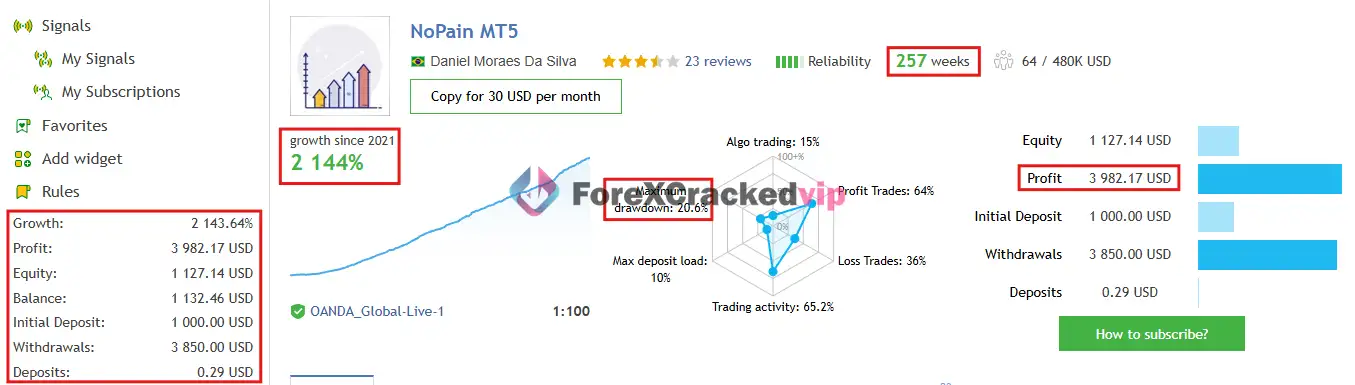
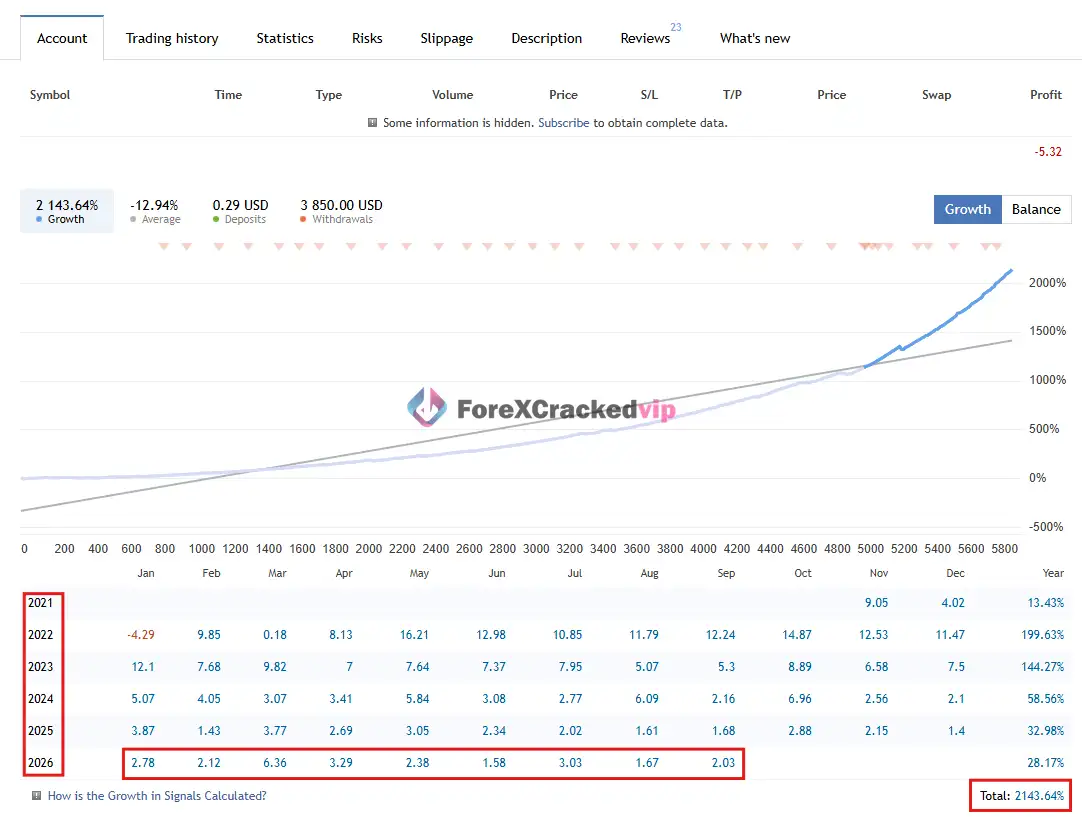
📌 ToTheMoon EA MQL5 Live Signal Review | Check Live Proof
• Growth: +2144%
• Maximum Drawdown: 20.66%
• Profit: $3,982.17
• Initial Deposit: $1,000
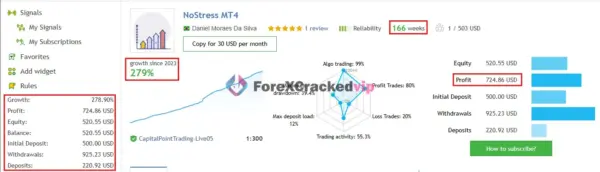
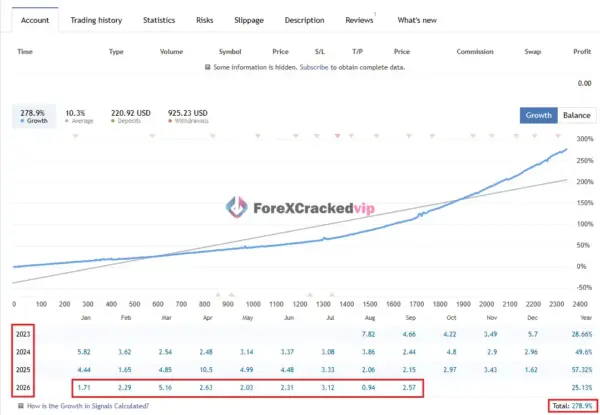
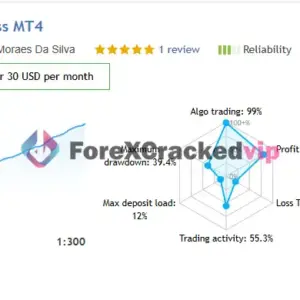
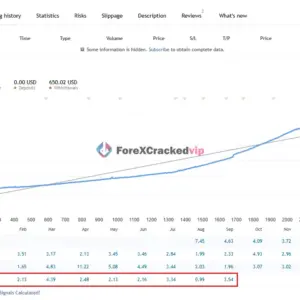
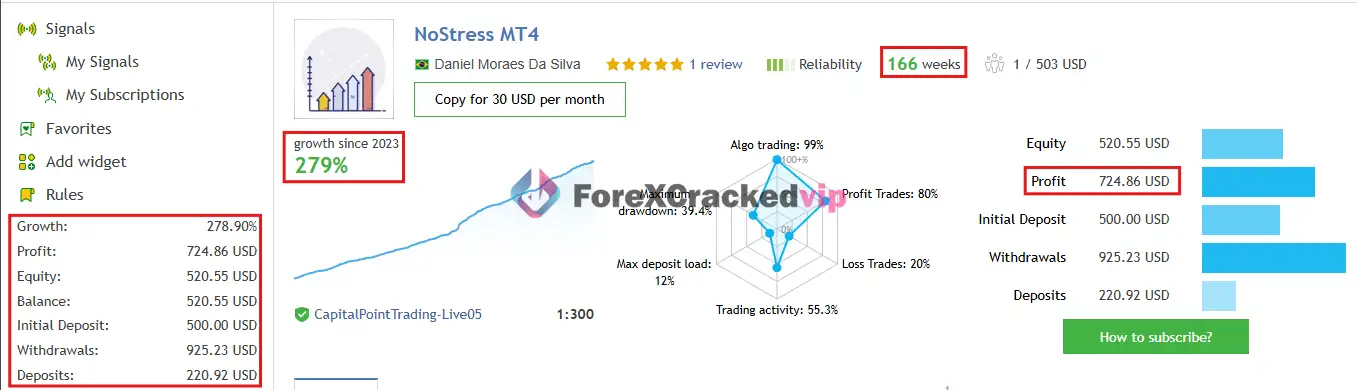
📌 ToTheMoon EA MQL5 Live Signal Review | Check Live Proof
• Growth: +279%
• Profit: $724
• Initial Deposit: $500
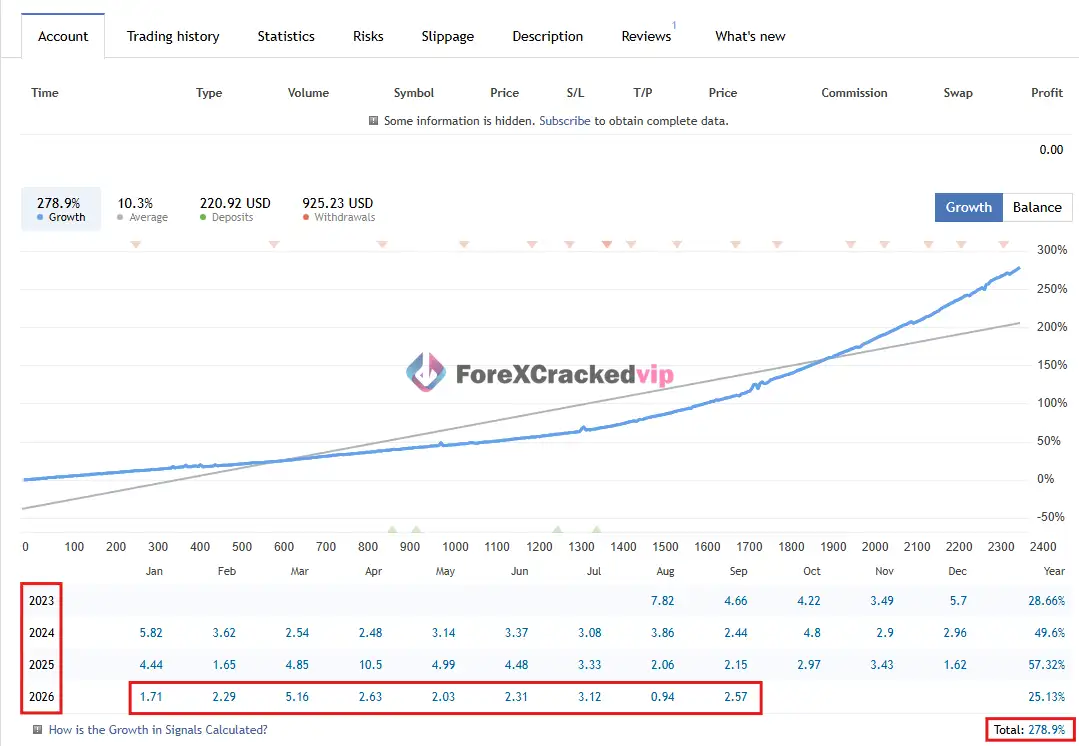
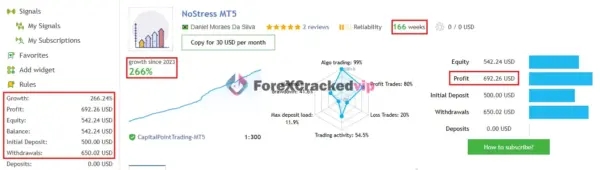
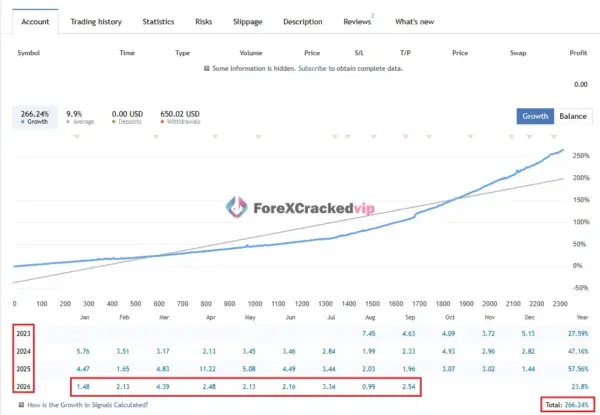
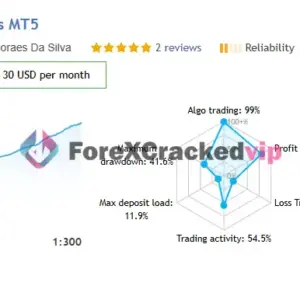
📌 ToTheMoon EA MQL5 Live Signal Review | Check Live Proof
• Growth: +266%
• Profit: $692
• Initial Deposit: $650
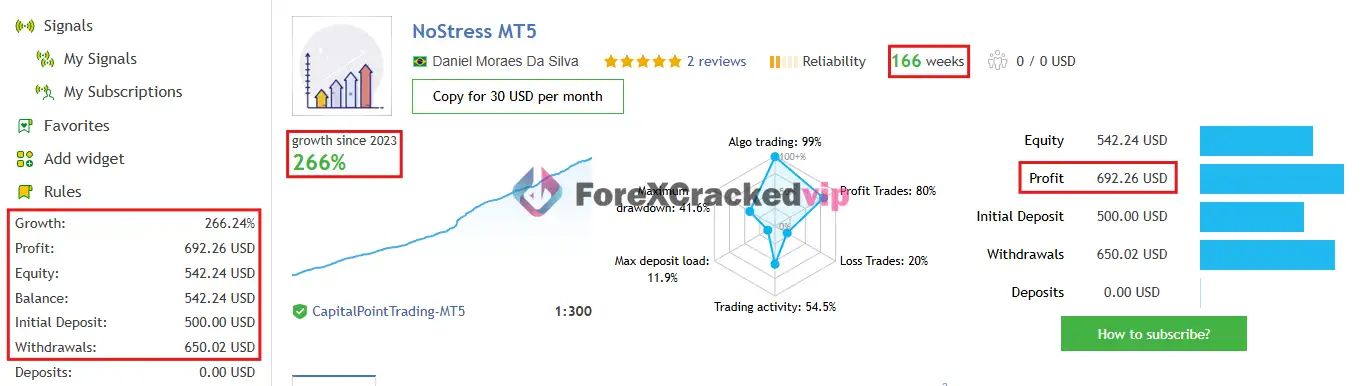
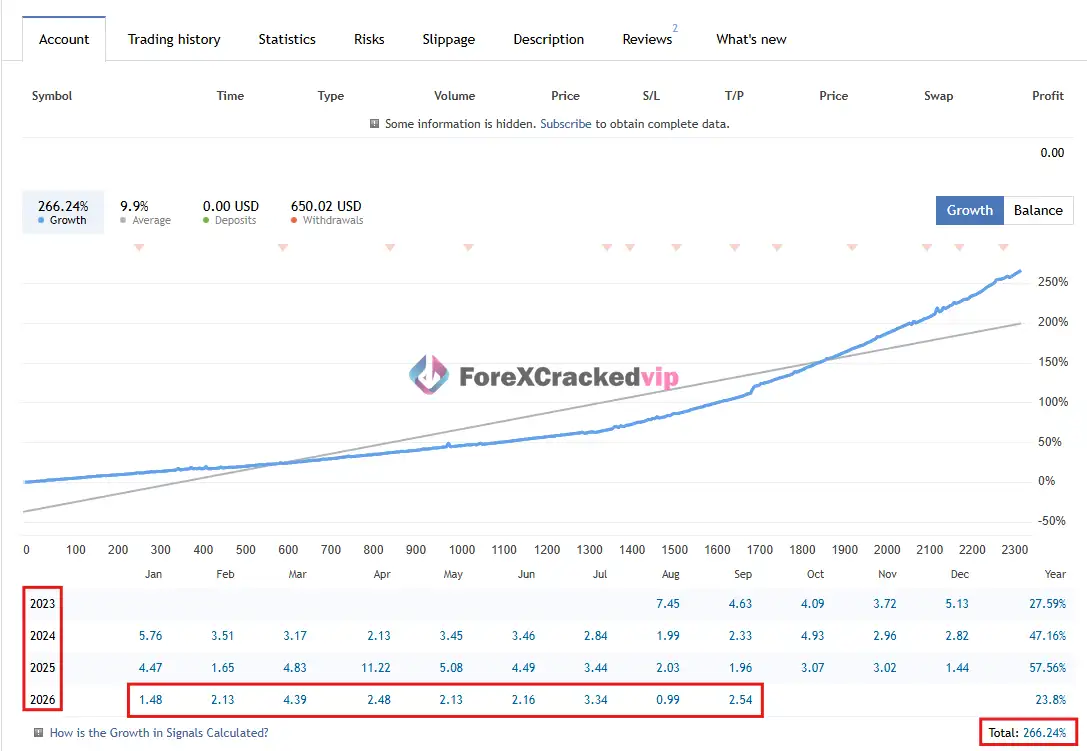
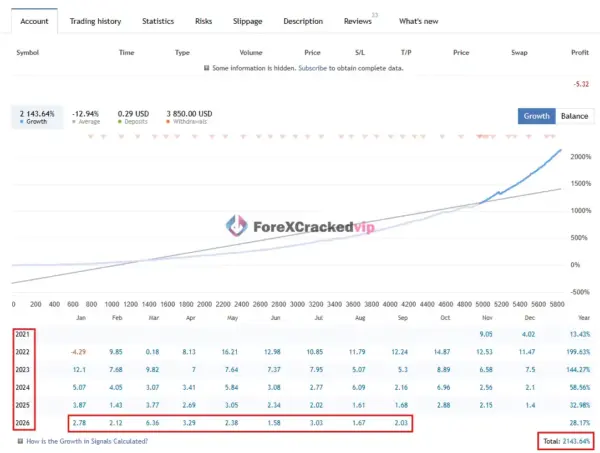
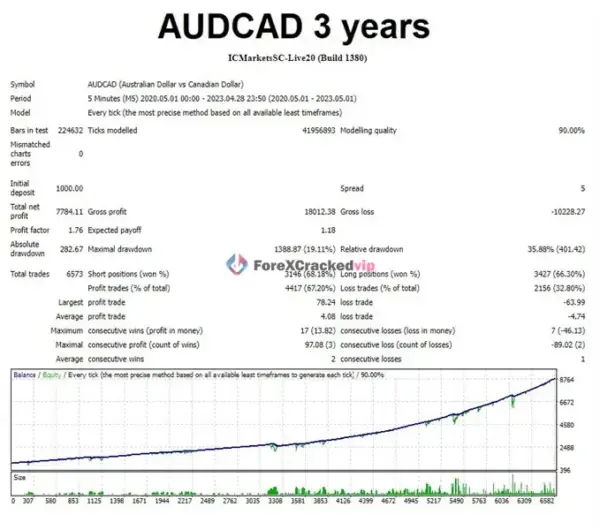
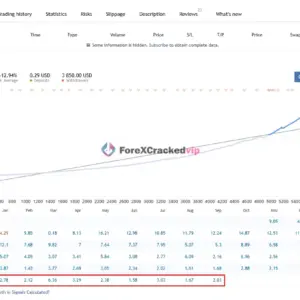
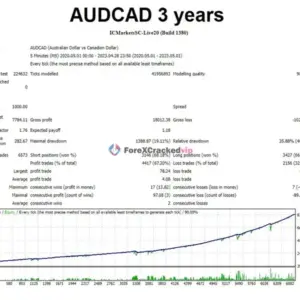
📌 ToTheMoon Backtest Result
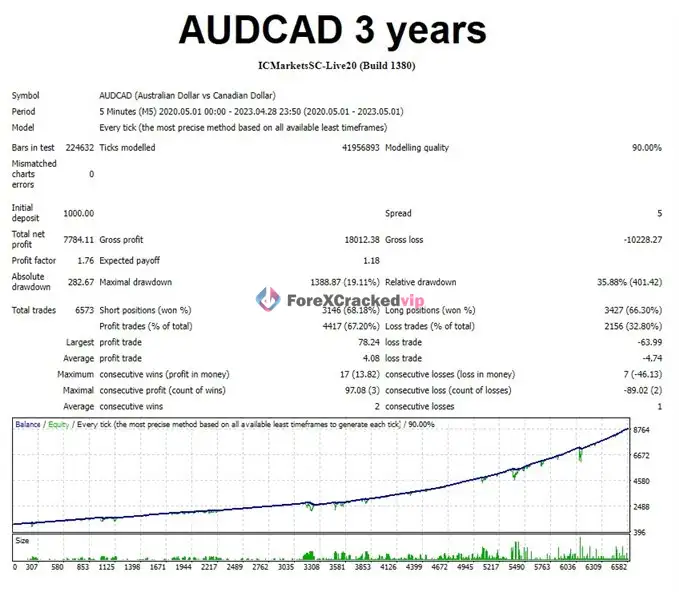
Why Consider This ToTheMoon MT4
According to the vendor’s MQL5 product page, ToTheMoon MT4 is a “multifunction robot” that can operate in Grid mode or Single Order mode, and supports multi-symbol trading from a single chart. The vendor states that all of their published MQL5 signals are traded by the robot, with only preset settings changed between signals.
Independent review site CheaperForex notes that the breadth of public account history makes ToTheMoon “a worthwhile system to research,” while flagging floating drawdown as the main consideration. The same source points out that the account history stretches back further than the displayed signal monitoring period, and that the EA and its settings have evolved over time.
What stands out from sourced material:
• Multiple long-running MQL5 signals tracked across several years, all attributed to the same EA with different presets
• A vendor-maintained preset library covering different balance levels and symbol combinations
• Transparent vendor documentation about which market conditions suit grid recovery and which do not
• The vendor explicitly cautions against using this strategy on Gold, Bitcoin, and indices due to their tendency to trend strongly
How the ToTheMoon MT4 Strategy Works
According to the vendor’s documentation on MQL5, the core strategy is:
• Grid entry: The EA opens a grid of positions and searches for an average exit price
• Lot escalation: As price moves against the basket, position sizes can increase
• Partial recovery closes: Profitable orders are used to partially close losing orders, described by the vendor as “like a smart StopLoss”
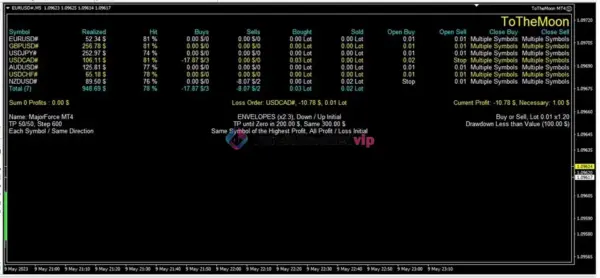
• Multi-symbol recovery: In Multi Symbols mode, profits from one symbol can be used to reduce losses on another
• Return dependency: The system requires price retracement to close baskets profitably
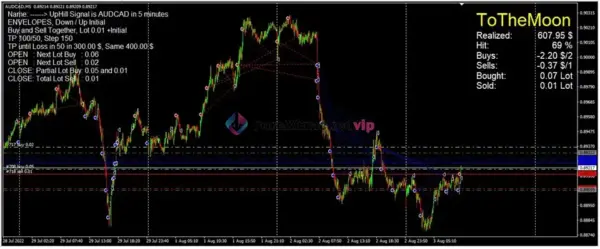
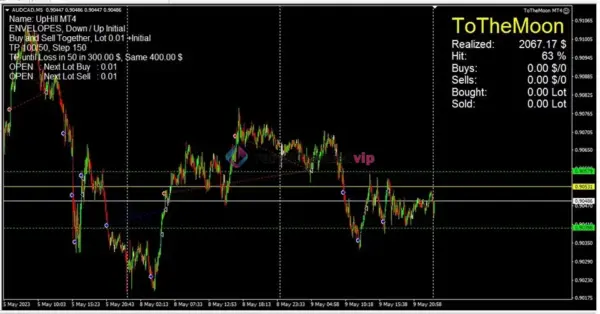
The vendor states this approach “works well on symbols that fluctuate little and do not follow major trends.” AUDCAD has produced better results than USD pairs according to the vendor, because USD pairs tend to follow major trends. The vendor explicitly warns that Gold, Bitcoin, and indices are “very risky” for grid strategies.
Independent analysis from CheaperForex describes the mechanism as: “That mechanism depends on sufficient retracement and available margin. It does not remove the loss: it manages which positions are closed and what exposure remains.”
ToTheMoon MT4 Key Features
• Preset-driven configuration: Vendor publishes and maintains presets for different balance levels and symbol combinations, reducing the need to manually tune dozens of parameters
• Grid and Single Order modes: Can run as a grid recovery system or open only one order per direction
• Multi-symbol trading: Trades multiple symbols from a single chart, with cross-symbol loss recovery capability
• Version-locked presets: The vendor requires presets to match the robot version, preventing parameter mismatch
• Free preset downloads: All presets used in the vendor’s signals are available for download and backtesting
• Real account signals: Multiple MQL5 signals traded by the same EA, allowing prospective users to observe live performance across different configurations
• Vendor documentation: The vendor provides explanations on their website and includes parameter details in preset files
Pros and Cons
Pros:
• Multiple years of public MQL5 signal history tied to the same EA, giving prospective users real account data to evaluate
• Vendor provides downloadable presets covering different account sizes and risk profiles, lowering the configuration barrier
• Transparent about suitable market conditions: the vendor explicitly names AUDCAD as a preferred pair and warns against trending instruments
• Preset files include symbol, timeframe, and minimum balance information, making them easier to test correctly
• Multi-symbol recovery feature allows cross-symbol profit use, which is uncommon in many grid EAs
• Vendor is responsive according to the single MQL5 user review, which praises preset variety and developer support
Cons:
• Grid recovery strategy carries inherent floating drawdown risk that can be significantly larger than the closed-balance curve suggests, as noted by independent review sources
• The vendor explicitly warns that Gold, Bitcoin, and indices are “very risky” for this strategy, narrowing the viable instrument universe
• A third-party backtest on XAUUSD M15 produced a $9,021 net loss with 3.61% win rate, demonstrating the strategy’s failure mode on trending instruments
• The account history in the signals predates the displayed monitoring start date, so the full performance curve cannot be attributed to the current build and settings
• The strategy relies on price retracement to close baskets; extended one-directional moves can create prolonged drawdown periods
Who Is ToTheMoon MT4 Designed For?
• Traders who understand grid and averaging strategies and accept their drawdown characteristics
• Part-time traders who want a preset-driven EA and are willing to download, backtest, and select appropriate presets
• Users with a demonstrated preference for AUDCAD and similar range-bound pairs
• Traders who want access to multiple real account signal histories to observe performance across configurations before committing
Optimized Settings Table
| Setting | Recommended Value |
|---|---|
| Platform | MetaTrader 4 (also MT5 with Hedging account) |
| Time Frames | M5 (primary; vendor presets use M5) |
| Recommended Pairs | AUDCAD (primary), AUDUSD, EURUSD (multi-symbol presets) |
| Minimum Deposit | Vendor-recommended: $300 |
| Recommended Deposit | $600 (NoStress) to $1,200 (NoPain) for single-symbol AUDCAD |
| Leverage | 1:100 to 1:300 based on signal accounts |
| Account Type | Hedging required on MT5; MT4 standard |
| Product Type | Expert Advisor |
| Recommended Broker | Vantage, IcMarket |
How to Install ToTheMoon MT4
1. Purchase and download: Buy ToTheMoon MT4 from the MQL5 Market and download the EX4 file to your MetaTrader 4 terminal
2. Download matching presets: From the vendor’s MQL5 profile page, download the preset files that correspond to your robot version (version 3.60 presets for version 3.60 robot)
3. Attach to chart: Open the recommended symbol and timeframe chart (e.g., AUDCAD M5) and drag ToTheMoon MT4 onto the chart
4. Load the preset: In the EA settings window, click “Load” and select the appropriate preset file. Verify that the symbol, timeframe, and minimum balance fields match your setup
5. Backtest before going live: Run a backtest on your broker’s data with the loaded preset to confirm the strategy behavior before running on a live account
Free Support & Setup Help – Contact us 👉 Telegram Support
Frequently Asked Questions (FAQ)
What pairs does ToTheMoon MT4 trade best?
According to the vendor, AUDCAD has produced the best results because it tends to fluctuate in ranges rather than follow major trends. AUDUSD and EURUSD are used in multi-symbol presets.
Can I use ToTheMoon MT4 on Gold or Bitcoin?
The vendor explicitly states that Gold, Bitcoin, and indices are “very risky” for grid strategies because they tend to follow strong trends. A third-party backtest on XAUUSD M15 resulted in a net loss of $9,021.
Does ToTheMoon MT4 work on MetaTrader 5?
The EA works on MT5 but the vendor states the account must be Hedging type. Netting accounts “do not work perfectly.”
What is the minimum deposit for ToTheMoon MT4?
It depends on the preset. The vendor’s UpEverest preset recommends $300, NoStress recommends $600, NoPain recommends $1,200, and some multi-symbol presets recommend up to $3,000.
What is the main risk of ToTheMoon MT4?
The main risk is floating drawdown from the grid recovery mechanism. Independent review sources note that floating drawdown can be much larger than the closed-balance curve suggests, and the strategy depends on sufficient price retracement to close baskets.
Are the MQL5 signals independently verified?
The MQL5 signals are tracked by the platform and show real account activity, but the account history may predate the signal’s displayed monitoring start date, and the EA settings have changed over time. They are not equivalent to an independently audited track record.
About Developer
Daniel Moraes Da Silva is the developer of ToTheMoon MT4, according to the vendor’s MQL5 Market profile. The vendor states that all published MQL5 signals are traded by the robot, with only preset settings changed between signals. The product has been listed on MQL5 since May 2023 and is currently on version 3.60. where preset downloads and additional information are referenced. The vendor provides documented presets and encourages backtesting, which supports transparency in the product’s configuration. However, limited independent third-party information is available about the developer beyond the MQL5 platform listing and the vendor’s own communications.
Explore our MYFXBook products, discover trusted low drawdown EAs, and browse powerful forex indicators to improve your trading setup. You can also check our recommended brokers and recommended VPS for a smoother trading experience.




Be the first to review “ToTheMoon MT4 V3.6 – SetFile | Grid | Partial recovery” Cancel reply
You must be logged in to post a review.
Related Products
-
 Rated 0 out of 5Sale!
$999.00Original price was: $999.00.$49.99Current price is: $49.99. -
 Rated 0 out of 5Sale!
$299.00Original price was: $299.00.$29.99Current price is: $29.99. -
 Rated 0 out of 5Sale!
$999.00Original price was: $999.00.$49.99Current price is: $49.99. -
 Rated 0 out of 5Sale!
$399.00Original price was: $399.00.$29.99Current price is: $29.99.

Reviews
There are no reviews yet.