
- Home
- Shop
- Forex EA, MetaTrader 5 Expert Advisors, Low Drawdown EA, MT5
- Institutional SMC Robot MT5 V1.70 – SMC Strategy | Download
Institutional SMC Robot MT5 V1.70 – SMC Strategy | Download



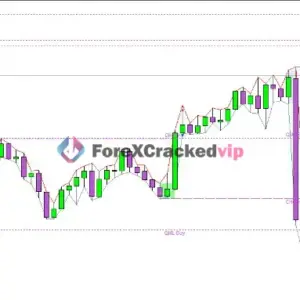



Institutional SMC Robot MT5 V1.70 – SMC Strategy | Download
$299.00 Original price was: $299.00.$49.99Current price is: $49.99.
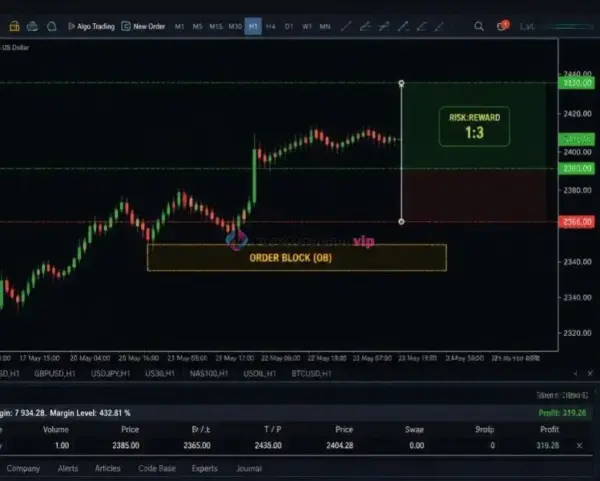
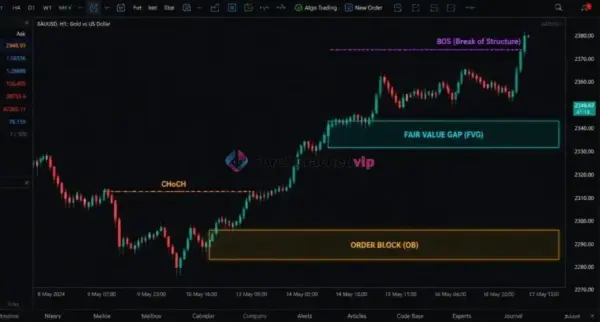
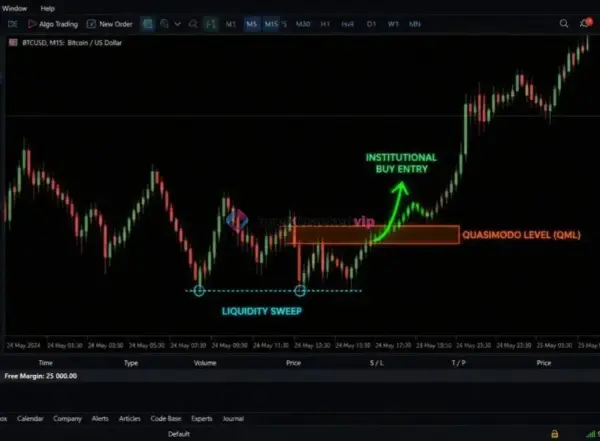
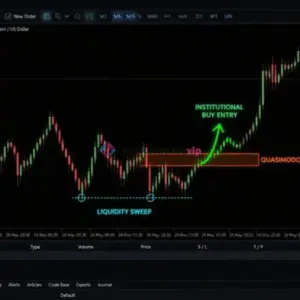
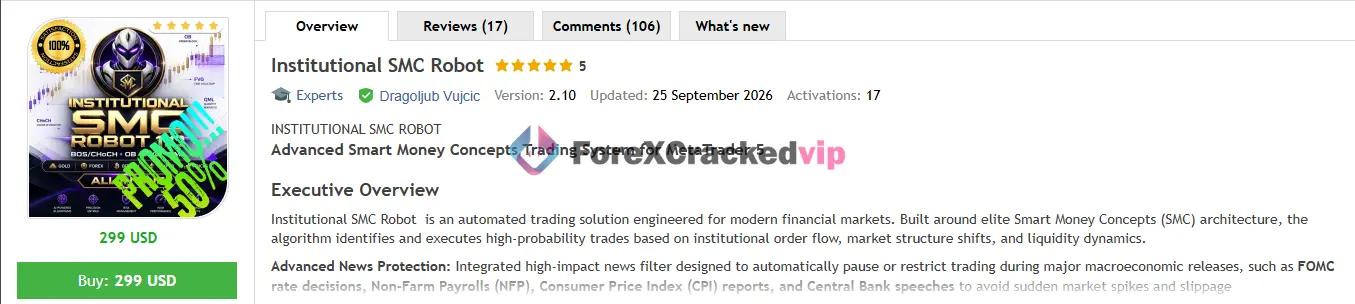
Institutional SMC Robot MT5 is an Expert Advisor built around Smart Money Concepts (SMC) for MetaTrader 5. According to the vendor, the system identifies Break of Structure (BOS), Change of Character (CHoCH), Order Blocks, Fair Value Gaps, and Quasimodo levels to locate high-probability entries. It includes configurable risk controls, a news filter, and support for XAUUSD, US100, and BTCUSD.
Need Help? Chat with an Expert
Overview
Introduction
If you have spent any time around Smart Money Concepts, you have probably wondered whether those chart patterns can actually be automated without turning into yet another over-optimized backtest exercise. Institutional SMC Robot MT5 is Dragoljub Vujcic’s attempt at that exact challenge.
According to the vendor’s MQL5 Market listing, the EA tracks institutional order flow, market structure shifts, and liquidity dynamics to identify what it describes as high-probability trades . It is aimed at traders who want SMC-style entries executed automatically on MT5, with optional visual overlays so you can see the logic on your chart.
📌 Vendor Website: Available on the official product page | MQL5
📌 Telegram Support: Join for updates, announcements, and support
Institutional SMC Robot MT5 Review
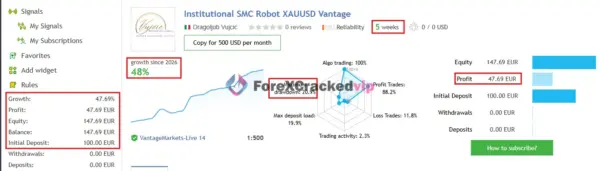
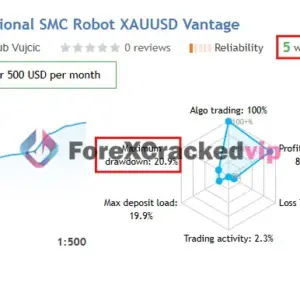
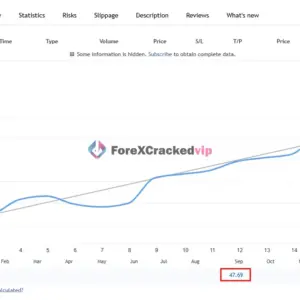
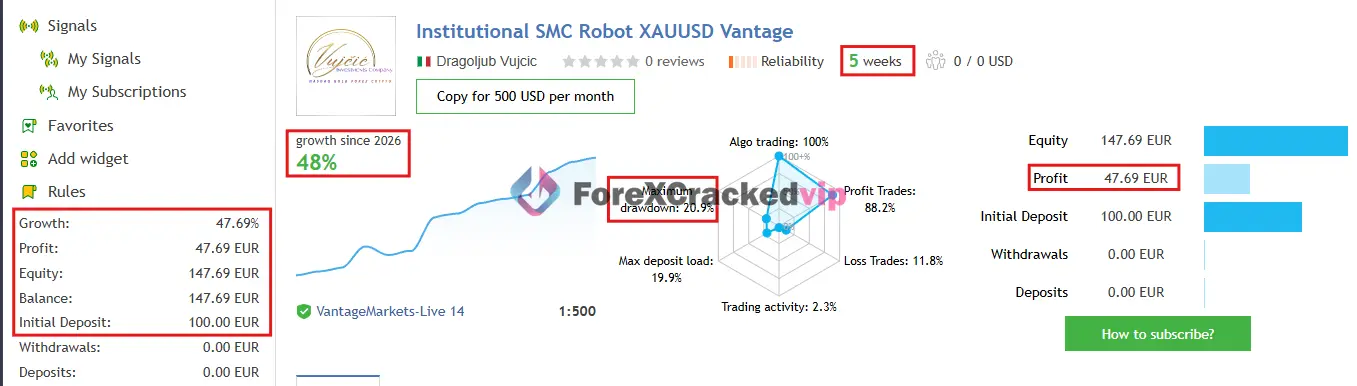
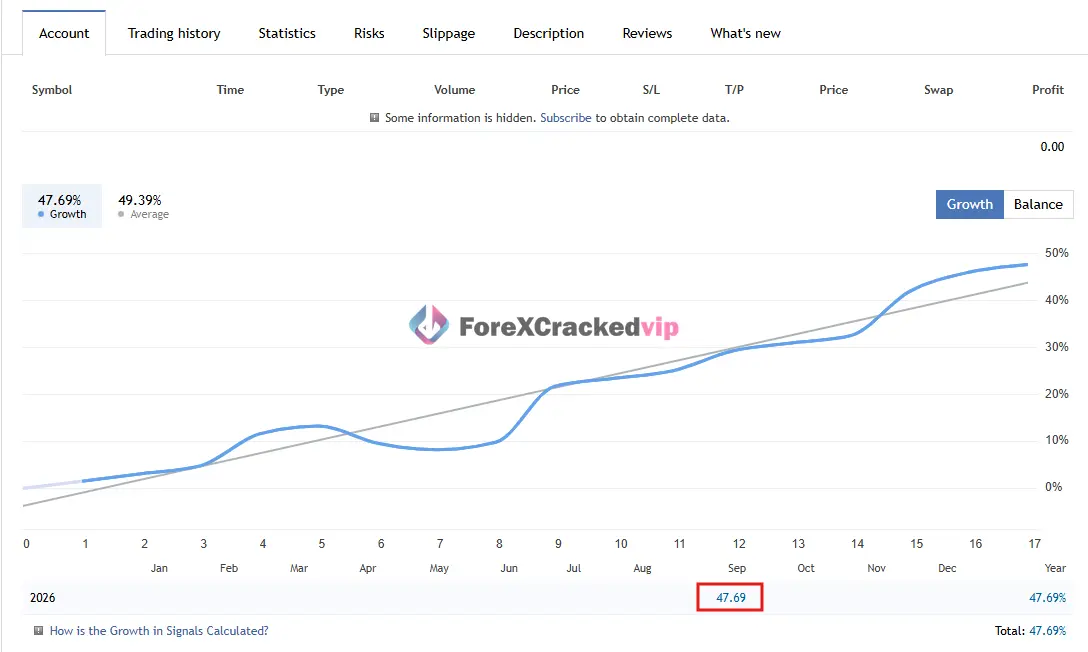
1. Institutional SMC Robot MT5 MQL5 Live Signal Review | Check Live Proof
• Growth: +48%
• Maximiu Drawdown: 20%
• Profit: 47EUR
• Initial Deposit: 100EUR
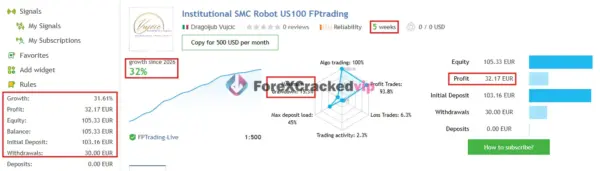
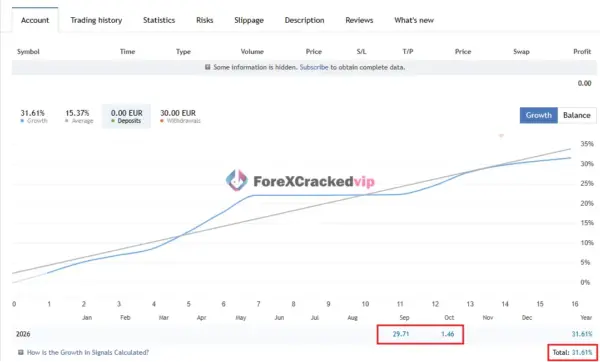
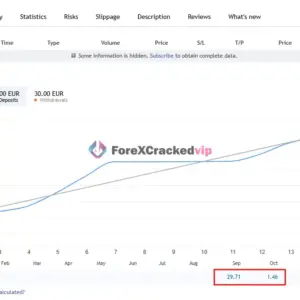
2. Institutional SMC Robot MT5 MQL5 Live Signal Review | Check Live Proof
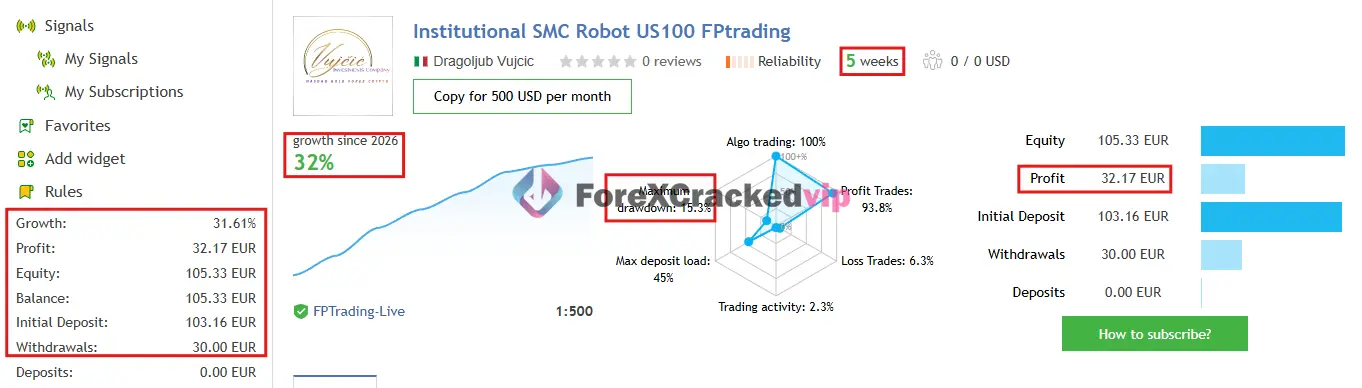
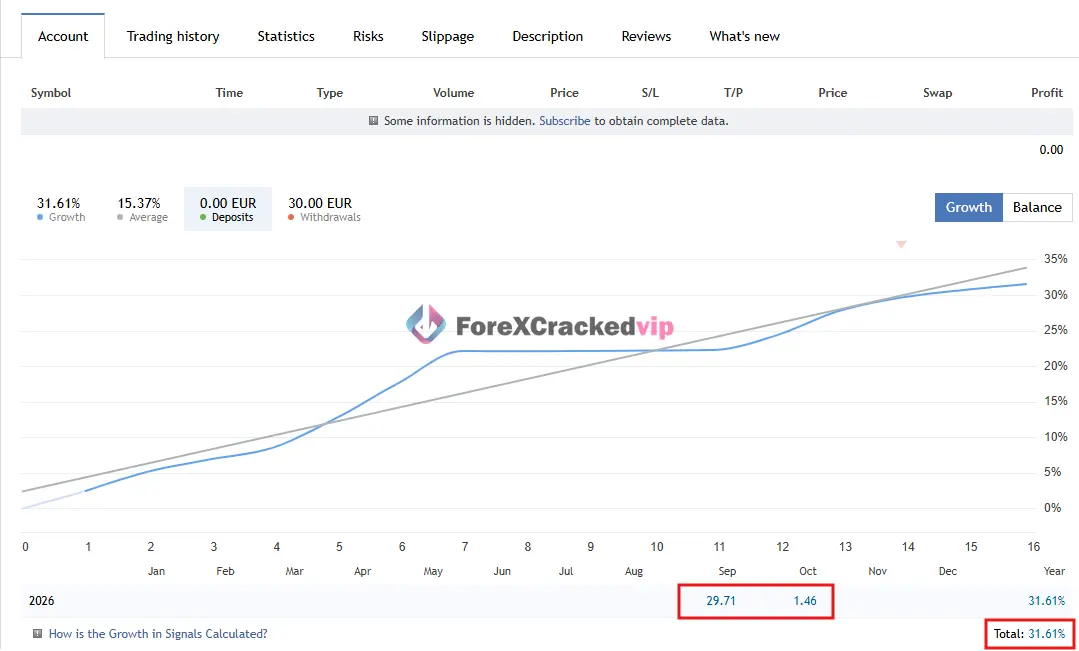
• Growth: +32%
• Maximiu Drawdown: 15%
• Profit: 32EUR
• Initial Deposit: 30EUR
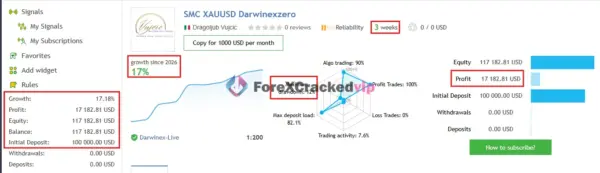
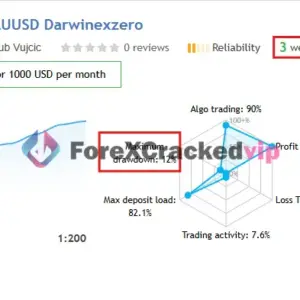
3. Institutional SMC Robot MT5 MQL5 Live Signal Review | Check Live Proof
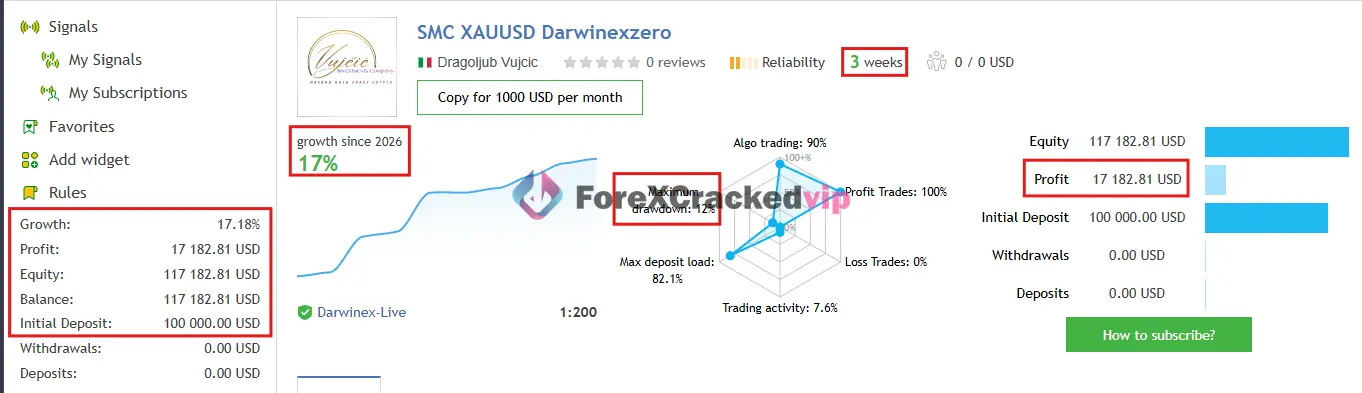
• Growth: +17%
• Maximiu Drawdown: 12%
• Profit: $17,182
• Initial Deposit: $100,000
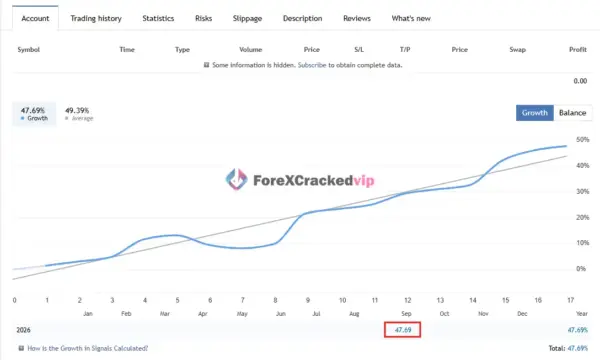
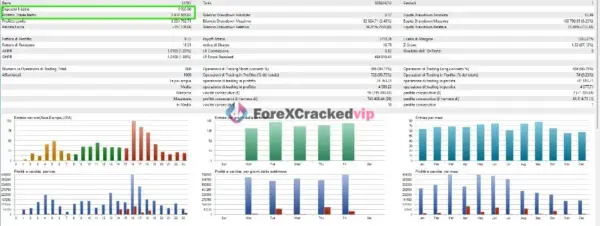
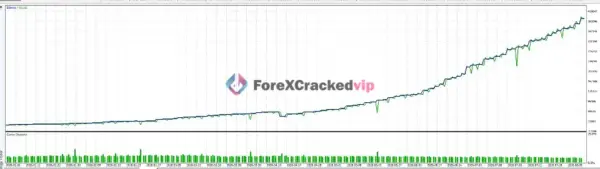
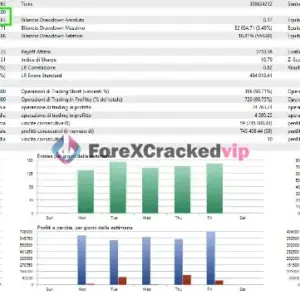
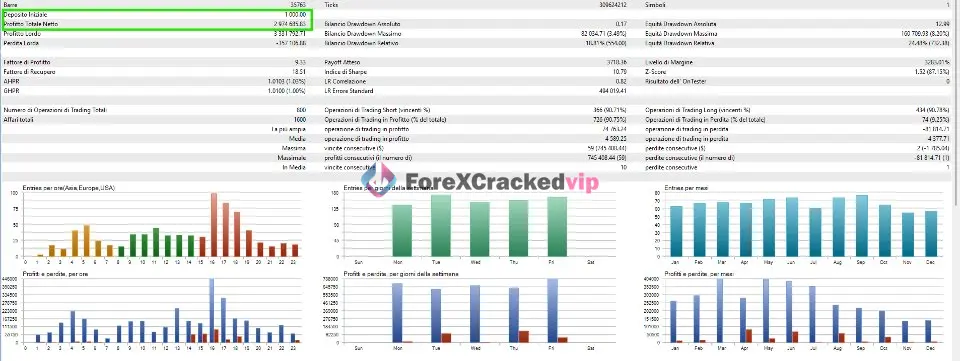
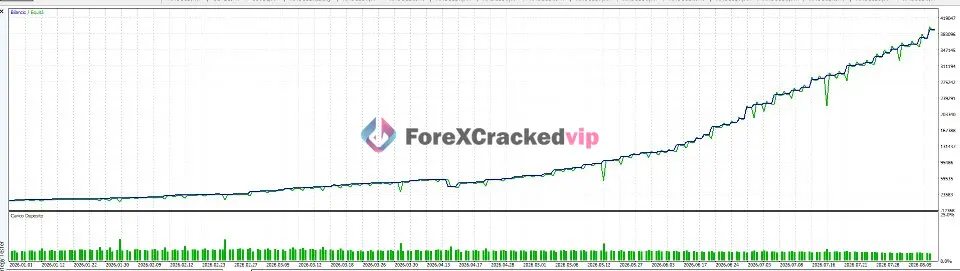
3. Institutional SMC Robot Backtest Result
Why Consider This Institutional SMC Robot
What stands out about this EA is not just the strategy label. It is the combination of chart visibility and live account transparency. According to the independent review on CheaperForex, the EA applies SMC by reading price structure changes, filtering around order blocks and fair value gaps, and managing entries with configurable exits and sizing . The same review notes that its appeal lies in “the combination of chart visibility and control over the trading rules” .
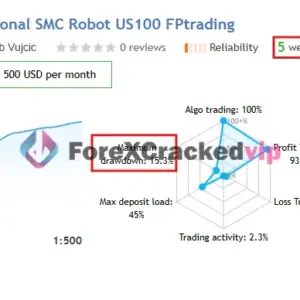
The vendor also publishes multiple live signal accounts through MQL5, covering XAUUSD, US100, and XAUUSD on a Darwinex account. According to the signal pages, one XAUUSD account on Vantage showed 47.69% growth since January 2026 with a maximum drawdown of 20.9%, while a US100 account on FPTrading showed 31.61% growth with 15.3% drawdown. A separate Darwinex XAUUSD account showed 17.18% growth with 12% maximum drawdown.
CheaperForex’s review cautions that these track records are short. At the time of their review, the Vantage gold account had only seven closed XAUUSD trades and the Nasdaq account had eleven. As they put it, “seven gold trades and eleven Nasdaq trades are far too few to establish dependable performance” .
How the Strategy Works
According to the vendor’s MQL5 product description, the EA operates on a systematic multi-step framework :
• Market structure assessment: The algorithm scans price action using an adjustable fractal sensitivity setting to identify dynamic swing highs and swing lows.
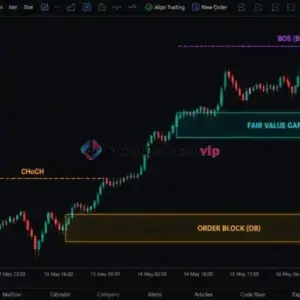
• Structure confirmation: It detects Break of Structure (BOS) and Change of Character (CHoCH) events in real time to align trades with the prevailing institutional trend.
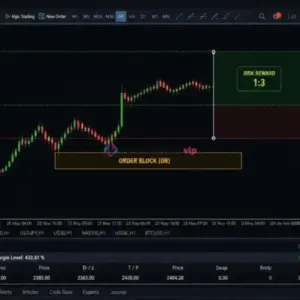
• Liquidity and imbalance identification: It filters signals by locating unmitigated Order Blocks and Fair Value Gaps.
• Precision entry and execution: After structure confirmation, the EA opens trades and automatically calculates dynamic stop loss and take profit levels based on local swing structure or a risk-reward ratio.
• Dynamic risk control: Integrated trailing stop management, spread protection, and built-in prop firm drawdown limits are applied.
Key Features
• Smart Money Concepts engine: Identifies BOS, CHoCH, Order Blocks, Fair Value Gaps, and Quasimodo levels according to vendor documentation .
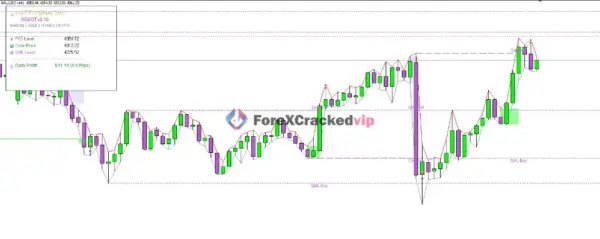
• Visual chart overlays: Optional on-chart drawings for all SMC elements, controlled by the InpEnableVisuals parameter .
• Real-time dashboard: Performance panel showing daily P&L and account status, toggled via InpShowDashboard .
• News filter: Integrated high-impact news protection that pauses trading around major economic events, per the vendor’s product description.
• Position scaling: Version 1.70 added trailing support for additional positions opened at profit steps, with their closure linked to the main position .
• Prop firm mode: Built-in drawdown limits designed for prop firm evaluation rules, as stated on the vendor page .
• Multi-asset support: Optimized presets available for XAUUSD, US100, and BTCUSD .
• Broker flexibility: The vendor states the EA works with any broker, though lower spreads are recommended for best execution.
Pros and Cons
Pros:
• Chart visualizations make it possible to inspect why the EA entered a trade, which is uncommon among fully automated SMC tools .
• Multiple live signal accounts are publicly linked on MQL5, allowing prospective buyers to monitor real-time performance .
• The news filter addresses a genuine pain point for automated systems that trade through high-impact releases.
• Updates have been relatively frequent, with version 1.90 released in September 2026 .
• User feedback on the MQL5 product page has been positive regarding support responsiveness and initial trading behavior .
Cons:
• The live track records are short. The Vantage gold account had only seven closed trades at the time of CheaperForex’s review, which is far from enough to judge consistency .
• The maximum drawdown on the Vantage XAUUSD account reached 20.9%, which is meaningful risk for a $100 starting balance.
• The strategy logic, while labeled with SMC terminology, is not fully disclosed at the code level. Buyers are relying on the vendor’s description of how entries are filtered.
• Position scaling, introduced in versions 1.70 and 1.80, changes total exposure. CheaperForex correctly warns that “do not assume a single-position risk figure represents the whole group” .
Who Is Institutional SMC Robot Designed For?
• Traders who already understand SMC concepts and want automated execution of BOS, CHoCH, OB, and FVG-based setups.
• Prop firm challenge participants who need a system with built-in drawdown limits.
• Traders who prefer to see the EA’s reasoning on the chart rather than treating it as a black box.
• MT5 users trading XAUUSD, US100, or BTCUSD who want a multi-asset solution.
Optimized Settings Table
| Setting | Recommended Value |
|---|---|
| Platform | MetaTrader 5 |
| Time Frames | H1 (per vendor’s default backtest settings) |
| Recommended Pairs | XAUUSD, US100, BTCUSD |
| Minimum Deposit | Not specified by vendor |
| Recommended Deposit | Vendor’s live signals use accounts starting at $100, but this is not a formal recommendation |
| Leverage | 1:500 (used on linked live accounts) |
| Account Type | Any; lower spreads recommended |
| Product Type | Expert Advisor (MT5) |
| Recommended Broker | Any; vendor recommends low-spread brokers. |
How to Install Institutional SMC Robot (5 steps)
1. Purchase and download the EA from the MQL5 Market. After purchase, you will receive access to the .ex5 file and can download it directly to your MT5 terminal.
2. Enable the EA in MT5. In your MT5 Navigator panel, right-click on Expert Advisors and refresh. The purchased EA should appear under the Market folder.
3. Drag the EA onto a chart. Open an H1 chart for XAUUSD, US100, or BTCUSD, and drag Institutional SMC Robot from the Navigator onto the chart.
4. Configure your inputs. In the settings window, ensure InpEnableVisuals is set to true if you want to see SMC drawings on the chart, and InpShowDashboard is set to true for the performance panel . Apply the appropriate .set file if you received one from the vendor.
5. Enable AutoTrading. Click the AutoTrading button in MT5 to allow the EA to execute trades. Verify that the smiley face icon appears in the top-right corner of the chart.
Free Support & Setup Help – Contact us 👉 Telegram Support
12. About Developer
According to the MQL5 Market profile, the developer is Dragoljub Vujcic, who has published multiple products on the platform . The vendor’s MQL5 profile lists 34 published products, indicating a relatively established presence in the MetaTrader ecosystem .
The vendor provides official documentation for Institutional SMC Robot v1.0, including a user guide and parameter optimization resources . A private Telegram group is available to buyers who leave a comment on the product page, where updated .set files for US100, BTCUSD, and future symbols are distributed .
Limited independent information is available about the developer’s background outside of the MQL5 Market ecosystem.
Frequently Asked Questions (FAQ)
Does Institutional SMC Robot work on MT4?
No. According to the vendor’s product page, this EA is built exclusively for MetaTrader 5.
What is the minimum deposit required?
The vendor does not specify a minimum deposit on the product page. The linked live signal accounts started with $100, but that is not a formal recommendation. Given the drawdown observed on those accounts, a larger starting balance would likely be more prudent.
Is the strategy fully disclosed?
No. The vendor describes the conceptual framework (BOS, CHoCH, OB, FVG, QML) but does not publish the underlying code or detailed entry rules. The independent CheaperForex review notes that the chart labels “describe how the algorithm interprets price” rather than confirming institutional activity .
Can I use this EA for prop firm challenges?
The vendor states that the EA includes built-in drawdown limits designed for prop firm evaluation rules. However, the maximum drawdown observed on the linked Vantage account reached 20.9%, which may exceed the limits of some prop firms.
How many trades does it place?
Based on the linked signal accounts, trading activity has been relatively low. The Vantage account showed 7 closed trades on XAUUSD+ over roughly two weeks, and the FPTrading account showed a small number of Nasdaq trades. This is not a high-frequency system.
Does the EA have a news filter?
Yes. According to the vendor’s product description, it includes an integrated high-impact news filter that pauses trading around FOMC, NFP, CPI, and central bank events.
Can I backtest it?
Yes. The vendor provides backtest settings for XAUUSD on H1 using “Every tick based on real ticks” modeling . Note that backtest results are historical simulations and do not predict live performance.
Explore our MYFXBook products, discover trusted low drawdown EAs, and browse powerful forex indicators to improve your trading setup. You can also check our recommended brokers and recommended VPS for a smoother trading experience.




Be the first to review “Institutional SMC Robot MT5 V1.70 – SMC Strategy | Download” Cancel reply
You must be logged in to post a review.
Related Products
-
 Rated 0 out of 5Sale!
$999.00Original price was: $999.00.$49.99Current price is: $49.99. -
 Rated 0 out of 5Sale!
$299.00Original price was: $299.00.$29.99Current price is: $29.99. -
 Rated 0 out of 5Sale!
$999.00Original price was: $999.00.$49.99Current price is: $49.99. -
 Rated 0 out of 5Sale!
$399.00Original price was: $399.00.$29.99Current price is: $29.99.

Reviews
There are no reviews yet.